How to Show or Hide Battery Percentage on iPhone
This article explains how to show or hide the battery percentage on iPhone using simple steps in iOS settings. It also highlights why this feature is useful and how it helps users better monitor battery usage and charging behavior.
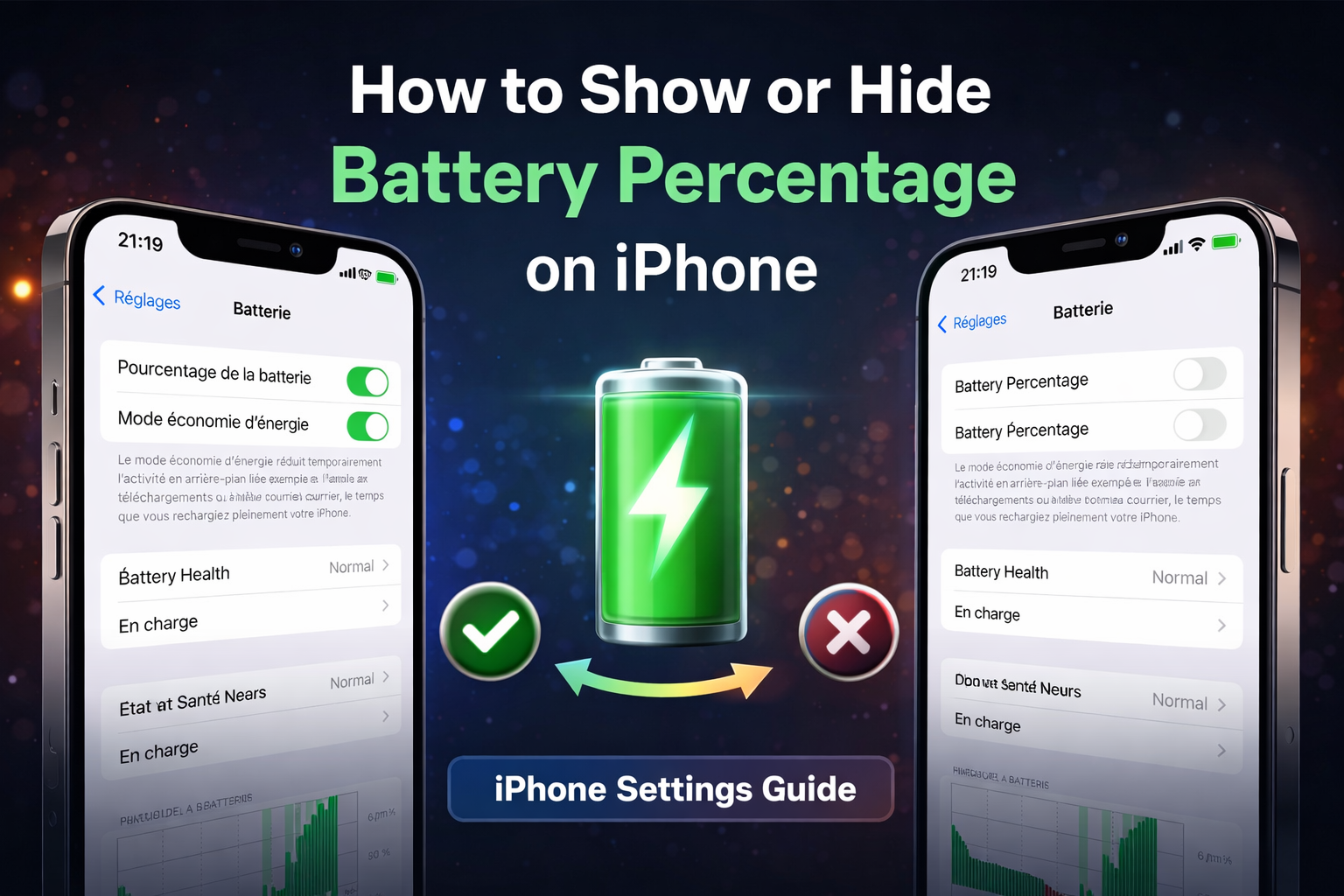
Battery percentage is a useful feature that helps iPhone users track their remaining power more accurately. Apple allows you to easily show or hide the battery percentage from iOS settings. This guide explains the exact steps to enable or disable this option, with clear visuals to follow along.
What Is Battery Percentage?
Battery percentage displays the exact amount of remaining battery power as a number. Instead of relying only on the battery icon, this feature gives users better control over charging habits and daily usage.
Step 1: Open Battery Settings on iPhone
To manage the battery percentage, you first need to access the Battery section in iOS settings.
- Open the Settings app on your iPhone.
- Scroll down and tap on Battery.
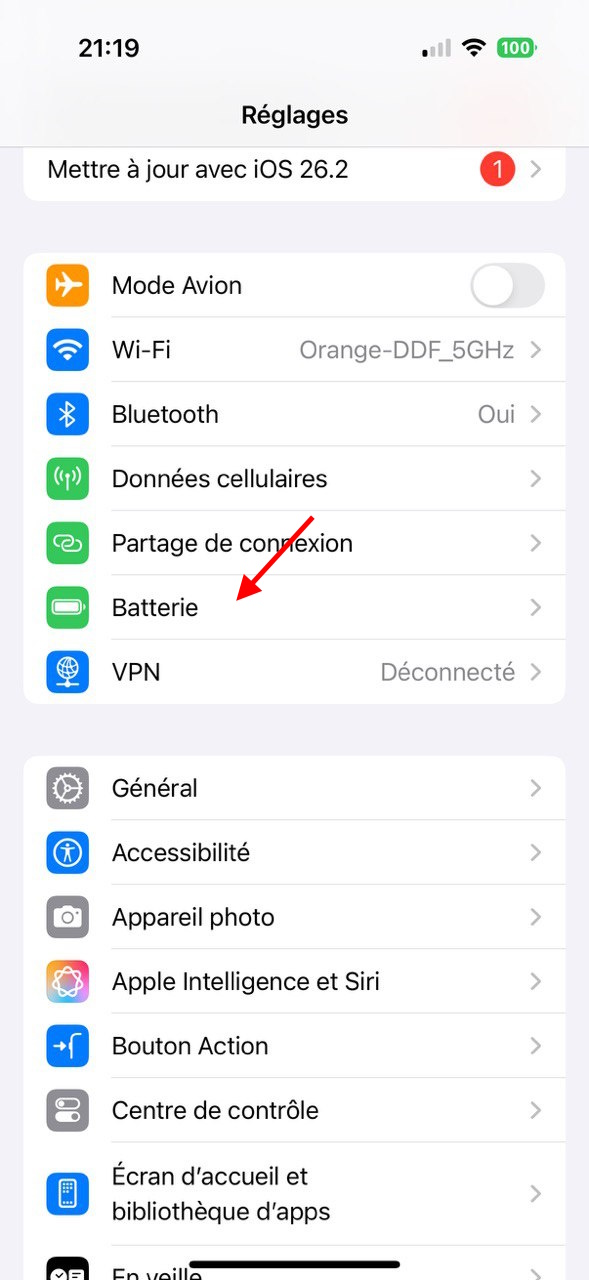
This screen displays battery usage, charging status, and battery-related options.
Step 2: Show or Hide Battery Percentage
Once you are inside the Battery settings, you can control whether the battery percentage appears in the status bar.
- Locate the Battery Percentage option.
- Turn the switch ON to show the percentage.
- Turn the switch OFF to hide it.
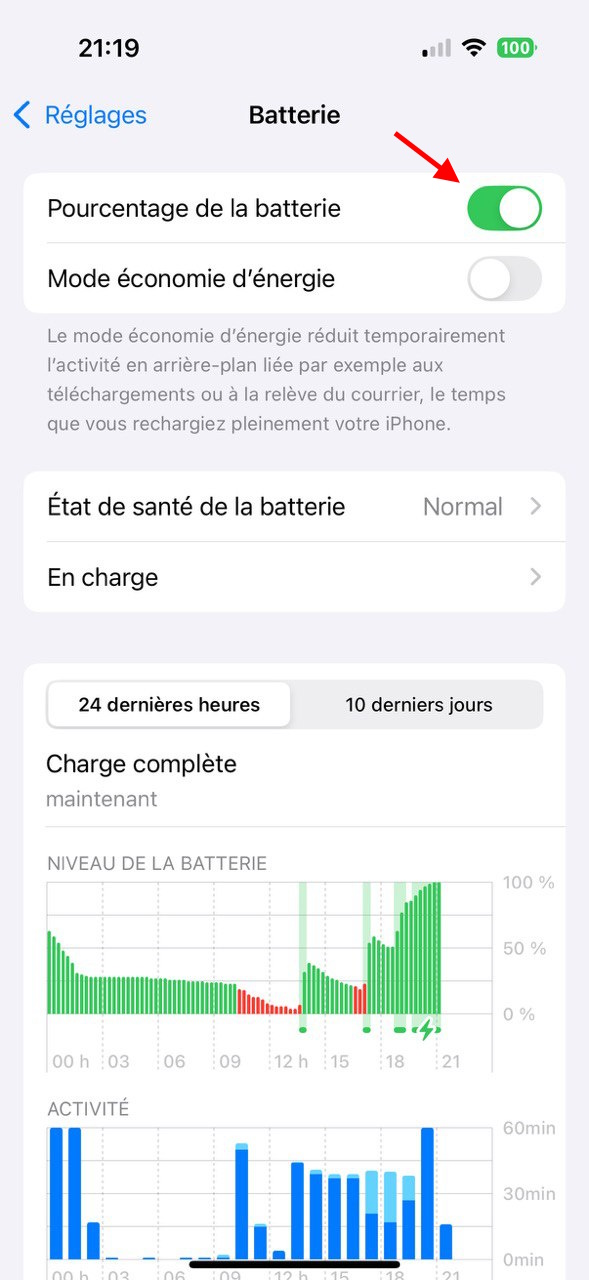
The change is applied instantly and does not affect battery performance.
Check Battery Health and Charging Status
In the same Battery settings section, iOS also shows information about Battery Health and charging behavior. This helps you understand whether your battery is working normally.
- View battery health status (Normal or Service Recommended)
- Monitor charging activity
- Review battery usage over time
Why Enable Battery Percentage?
Many users prefer enabling battery percentage for better awareness of their device’s power level.
- More accurate battery monitoring
- Better charging decisions
- Avoid unexpected battery drain
FAQ
Is battery percentage available on all iPhones?
Most modern iPhones running recent versions of iOS support this feature, although the display style may vary by model.
Does showing battery percentage reduce battery life?
No, displaying the battery percentage has no noticeable impact on battery performance.
Bottom Line
Showing or hiding battery percentage on iPhone is a simple customization that improves daily usability. Whether you prefer precise control or a cleaner interface, iOS gives you the flexibility to choose what works best for you.