Suno App for iOS Review: Create AI Music Using Voice and Text
Create music effortlessly with Suno for iOS. Record ideas, generate songs with AI, customize styles, and explore new sounds directly from your iPhone.
✅ Quick Verdict
Suno for iOS is an AI-powered music creation app that allows users to generate songs, melodies, and audio ideas using voice input or text prompts. Designed for simplicity and creativity, Suno makes music creation accessible to everyone—no professional music skills required.
What Is Suno?
Suno is a creative AI music app available on iOS that helps users turn ideas into music. Whether you hum a melody, describe a mood, or type a short prompt, Suno uses artificial intelligence to generate original musical content in seconds.
The app is suitable for casual users, content creators, songwriters, and anyone curious about AI-generated music.
Creating Music with Voice Input
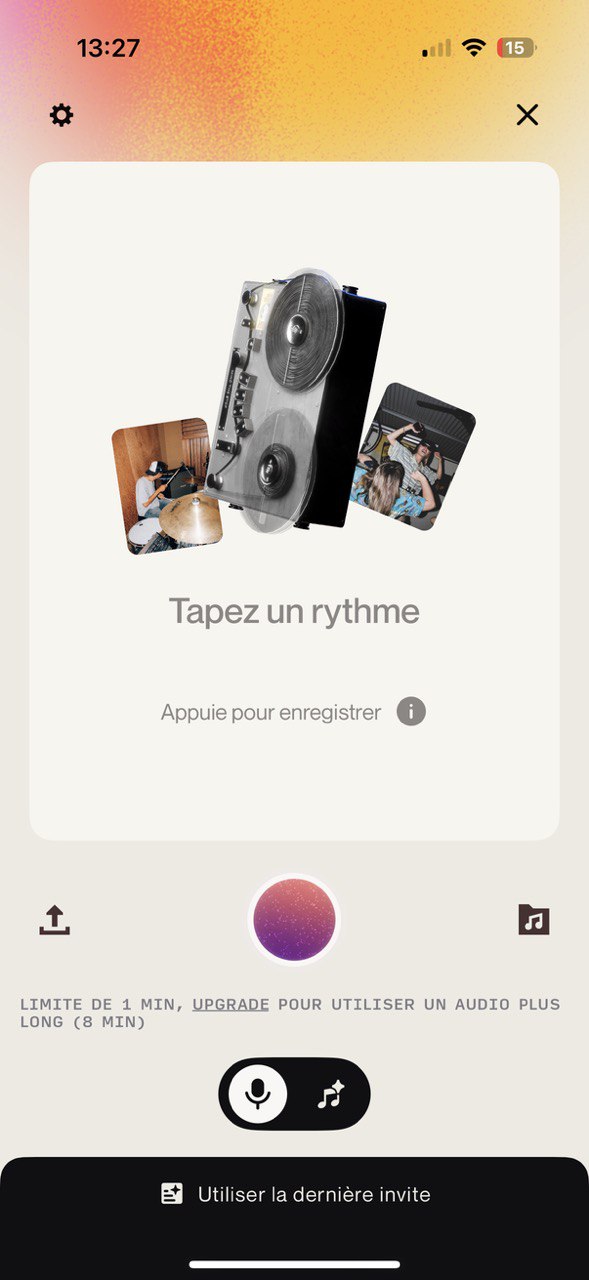
One of Suno’s standout features is its ability to capture musical ideas through voice. Users can tap to record a rhythm, melody, or vocal idea directly inside the app. Suno then analyzes the audio and transforms it into a structured musical output.
- Quick voice recording: Capture ideas anytime inspiration strikes
- AI interpretation: Converts raw audio into musical structure
- Beginner-friendly: No instruments or technical setup needed
AI-Powered Music Generation
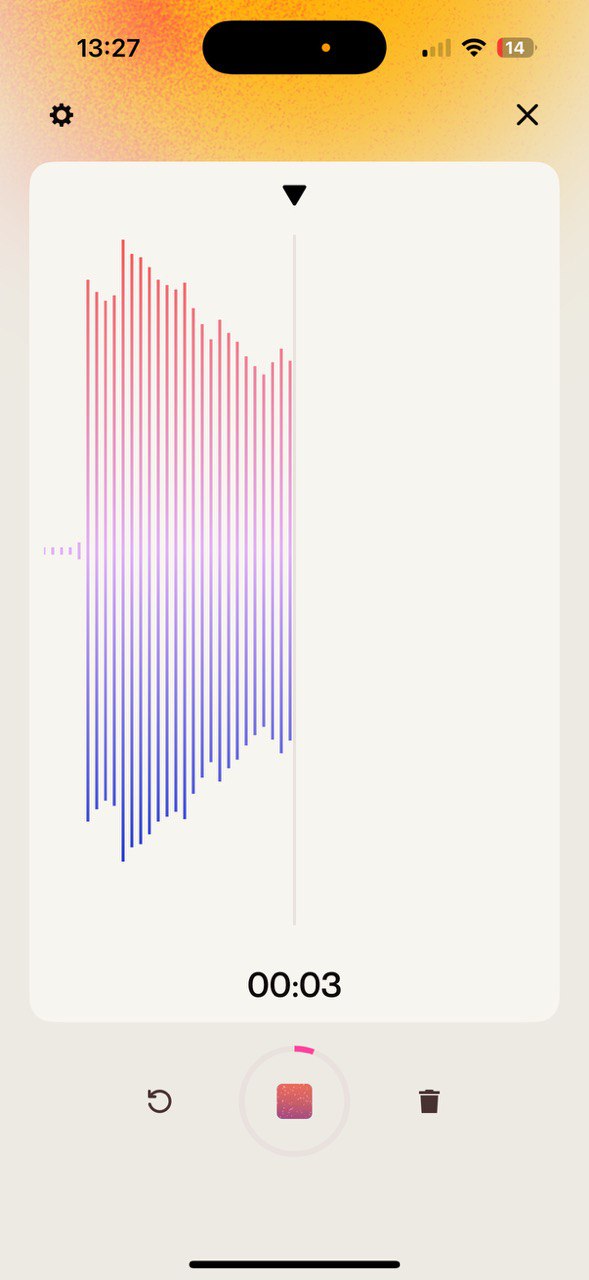
Suno uses advanced AI models to generate music based on user input. After recording or submitting a prompt, the app visualizes the sound and processes it into a playable music piece.
This feature is ideal for experimenting with musical ideas, exploring new sounds, or generating background music for videos and social media content.
Lyrics, Styles, and Personalization
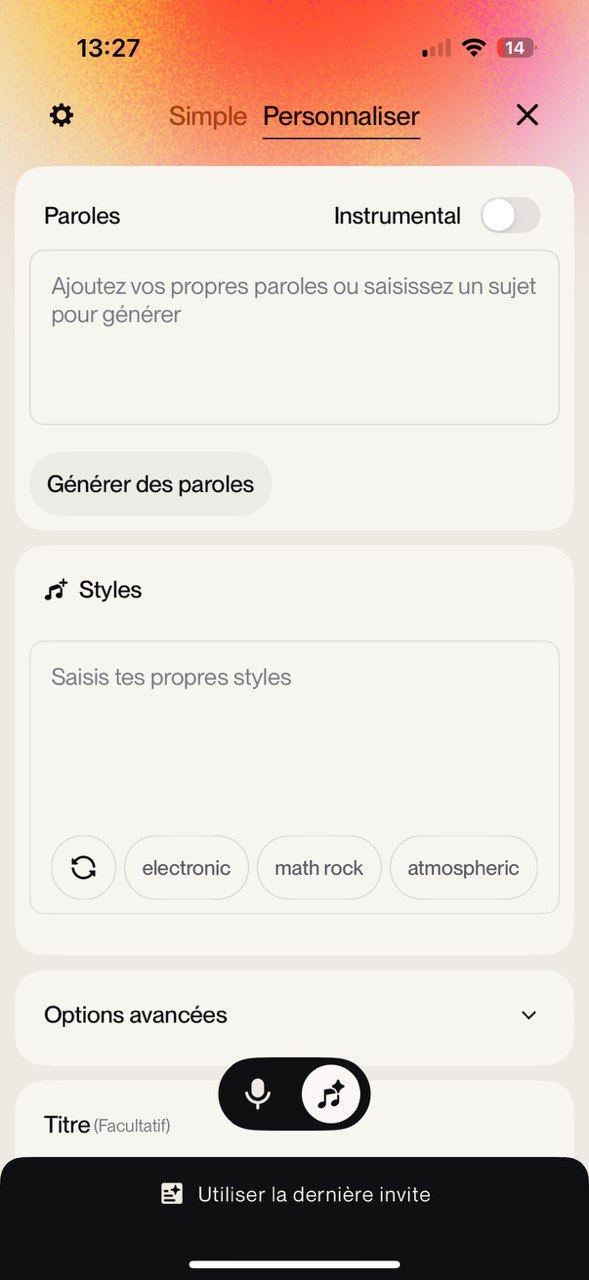
Suno allows users to personalize their creations by adding lyrics, choosing styles, or generating instrumental-only tracks. You can write your own lyrics, let the AI generate them, or focus purely on music.
- Custom lyrics or AI-generated lyrics
- Multiple music styles and genres
- Instrumental mode for background tracks
Who Is Suno For?
Content Creators
Create original background music for videos, reels, and social media without copyright concerns.
Songwriters & Musicians
Use Suno as a creative assistant to explore melodies, lyrics, and song ideas.
Casual Users
Experiment with music creation for fun, learning, or personal enjoyment.
Pros and Cons
Pros
- Easy-to-use interface on iOS
- AI-powered music generation
- No musical background required
- Creative and inspiring workflow
Cons
- Free version may have usage limits
- AI-generated music may require refinement
- Not a replacement for full professional music software
FAQ
Is Suno free on iOS?
Suno offers free access with limitations. Additional features and longer creations may require a subscription or upgrade.
Do I need musical experience?
No. Suno is designed for beginners as well as experienced creators.
Can I use Suno music in my content?
Usage rights depend on the app’s terms and your subscription level. Always review the official policy before publishing.
Bottom Line
Suno for iOS is a powerful yet approachable AI music app that turns ideas into sound. With voice recording, AI generation, and creative customization, it offers a fresh way to explore music creation on mobile devices.
📲 Download Suno for iOS
Get Suno on your iPhone or iPad and start creating music with the power of AI. Record ideas, generate songs, and explore new sounds directly from your device.
Download on the App Store